Pulse Dashboard

Business intelligence, reporting and MRP software that digs deep into your Macola® database — with real-time dashboards, one-click drill-down and department-specific modules used by planners, accountants and executives every day.
Overview
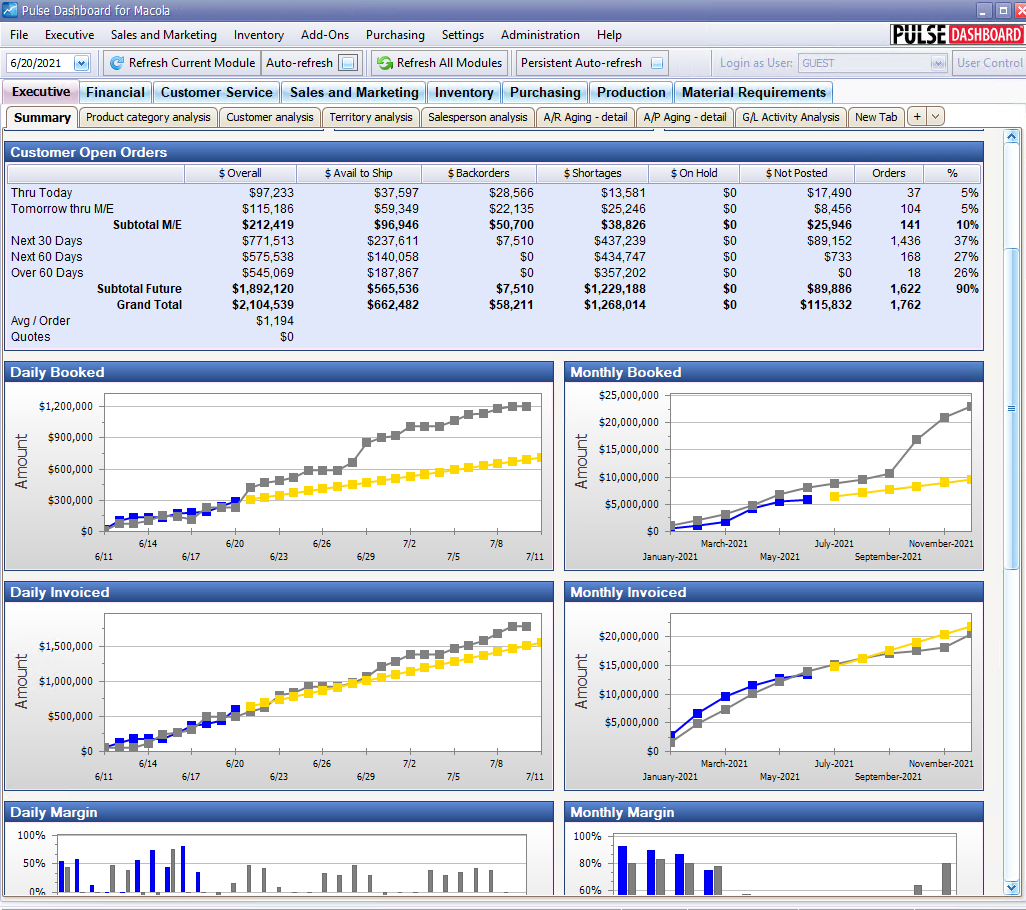
Pulse Dashboard converts your Macola® data into information for making faster and better decisions. It digs deep into your Macola® database to pinpoint opportunities to reduce backlogs, optimize inventory, reduce costs and increase profits — with real-time display of vital business metrics and detailed analysis at the click of a mouse. Today it has thousands of users around the world.
All analytical and information reports come pre-developed and ready to use. Every screen supports one-click drill-down to the underlying details, a one-click report writer for choosing and sorting columns, and export to Excel, PDF, printer or email in seconds.
Product documentation
- How Pulse Dashboard works — why one filter reaches every report, why totals stay right when you regroup, how your own fields turn up everywhere, and why there is no server to install
- Reporting Modules — one page per module, from the official module fact sheets and brochures, with the roster of every report they ship by tab
- MRP Engine — BOM explosion, shortage calculation, settings, forecasts, reports and column reference
- MRP Orders Drilldown — the drilldown on the MRP Orders Causing Shortages report
- Pulse Dashboard Client — the launcher application: installation, day-to-day use and troubleshooting
- Core Module Context Menu — the right-click menu on core module tab headers
- Reference — how each number on screen is calculated, and the catalog of 87 shareable custom report tabs
- Add-on reports & enhancements — the reports, enhancements and utilities that sit alongside the nine modules
- Administration — users and security, company settings, maintenance tools and the report Scheduler
- Release Notes — what's new, bug fixes and compatibility notes for each release
How-to guides
- Pulse Dashboard fundamentals — the orientation for a new user: refreshing data, changing columns, sorting, filtering and publishing a tab
- Advanced techniques — clean-slate reports, custom formula columns, publishing, the Designer tools and collection notes
- Writing your own SQL reports — the Query Analyzer from start to finish: the editor, the optimized tables, the date filters, formatting, stored procedures and Pulse filters
- Writing SQL for Macola® Progression — Progression only: real dates out of its numeric ones, and the padded text columns that silently break a join
- Pinpointing shortages — which customer orders are short, which components are holding up production, and the setup behind both
- Setting up budgets — financial budgets from the Macola® G/L and sales budgets in Pulse Dashboard
- Planning a physical inventory — use exception screens and variance reports for a cleaner count
- Serial / lot traceability and recall tracking — research any lot or serial number across its whole life on one screen
- Running the built-in Archive Report — see record counts by file and year, the first step to a faster database
- Updating the software or license — keep Pulse Dashboard and its license current
- Everyday tips — right-click menus, refreshing data, tab colors, formatting and sharing your work
Training & webinars
- Training and webinars — recorded demonstrations and hands-on classes, from fundamentals to advanced
Resources on leahyconsulting.com
- Pulse Dashboard product page — overview, modules and a downloadable brochure
- Software update notes — the running changelog of fixes and improvements
- Catalog of custom report tabs — pre-built custom reports you can request
Support & contact
- PULSE software support — (513) 723-8095 · [email protected]
- Sales & product questions — (513) 723-8091 · [email protected]
- Consulting & Macola services — (513) 723-8094 · [email protected]