Planning a Successful Physical Inventory
Adapted from Planning & Conducting a Successful Macola® Physical Inventory and the Physical Inventory Processing Checklist on leahyconsulting.com.
A good count starts well before tag one. Pulse Dashboard gives you a set of screens and reports that clean up problem items in advance and keep the count reconciled while it happens. A recorded training session covering the full process, presented by Mike Leahy and Ann Hayner, is available through the training page.
Before the count
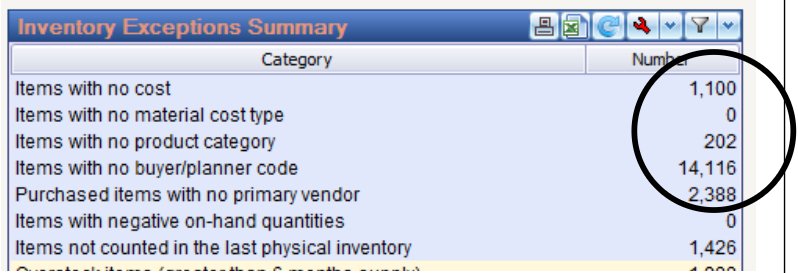
Inventory Exceptions Summary
Run the Inventory Exceptions Summary screen to surface items that will cause trouble later:
- Items with no cost (or no material cost type)
- Items with negative on-hand quantities
- Items with no product category, buyer/planner or primary vendor
- Items not counted in the last physical inventory
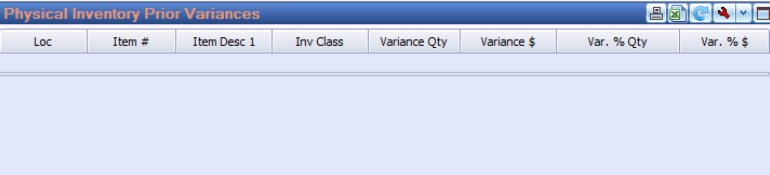
Physical Inventory Prior Variances report
This report pinpoints items that, over the past X months, were counted with a variance greater than Y%. The resulting list identifies your top problem items — the ones worth pre-counting, counting and re-counting.
During the count
| Report | When | What it does |
|---|---|---|
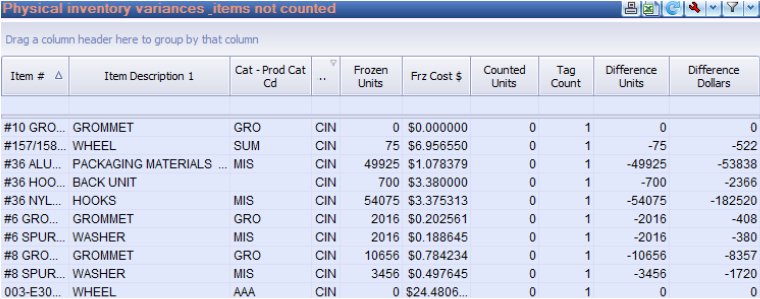
| IM5 — variances and items not counted | While counting | Assists in reconciling count tags as they come in; uses the Advanced Screen Designer feature to link related reports |
| IM6 — variances and items not counted | Before posting | Run prior to posting count tags to pinpoint items that did not get counted |
Tip
Related checklist. Macola® Progression users may also find the illustrated Physical Inventory Processing Checklist on leahyconsulting.com helpful for the Macola® side of the process — freezing inventory, printing tags, entering counts and posting.
Tip
Need a hand? The PULSE support team is happy to help — call (513) 723-8095 or email [email protected].